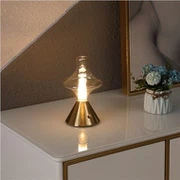
Intelligent Tent Speaker Light Operation
Feb 17, 2022
Intelligent tent speaker light operation
1) Group control: Click the light group icon on the light control list interface, after creating a new light group, you can freely combine and control the connected Bluetooth lights.
Reminder: The APP can connect up to 4 lights at the same time, and the light group can be combined to control the connected lights at will. The control method is the same as that of controlling a single light.
2) Click "Home" > "Scene Mode", enter the scene mode interface, click the light bulb icon in the upper right corner to select the lamp to be controlled by the scene mode, and then click each scene mode on the interface, the selected lamp will change to the selected mode at the same time
Reminder: The first and second street lights interface only have sunrise and sunset modes
3) Click "Home" > "Music Rhythm", enter the music rhythm interface, click the archive icon in the upper right corner to add the songs in the phone to the list, and change the frequency of the light color change according to the rhythm when playing the song
Reminder: The first and second street lights cannot enter the music rhythm interface
4) Click "Home" > "Alarm Clock" to enter the alarm clock interface, click the + icon to add an alarm clock, set a certain light to automatically switch to the selected scene mode at a certain time, and automatically exit the selected scene mode at a certain time.
Tips:
1> Click the icon to delete the added alarm clock
2> Click the added alarm clock to modify the settings of the alarm clock
3> Setting interface can not enable alarm clock and end time
5) Click "Home" > "Settings" to enter the settings interface to modify and reset the connection password of the Bluetooth light,Reminder: The password modification interface can only modify the password of the connected Bluetooth light, and the corresponding light will flash when the password is modified.